User scenarios are stories which designers create to show how users might act to achieve a goal in a system or environment. Designers make scenarios to understand users’ motivations, needs, barriers and more in the context of how they would use a design, and to help ideate, iterate and usability-test optimal solutions.
Scenarios describe the stories and context behind why a specific user or user group comes to your site. They note the goals and questions to be achieved and sometimes define the possibilities of how the user(s) can achieve them on the site.
What to Consider When Writing Scenarios
Good scenarios are concise but answer the following key questions:
- Who is the user? Use the personas that have been developed to reflect the real, major user groups coming to your site.
- Why does the user come to the site? Note what motivates the user to come to the site and their expectations upon arrival, if any.
- What goals does he/she have? Through task analysis, you can better understand the what the user wants on your site and therefore what the site must have for them to leave satisfied.
- How can the user achieve their goals on the site? Define how the user can achieve his/ her goal on the site, identifying the various possibilities and any potential barriers.
Scenario-Mapping Workshops
A workshop that facilitates ideation around design solutions is called a scenario-mapping workshop. It involves the following components:
- Participants: 4–6 people of varying roles from your product team or stakeholder group so that differing points of view are represented
- Facilitator: A defined workshop leader who will guide participants through the activity and discussions
- Scenario(s): 1–2 scenarios for key tasks for your top 1–2 highest priority personas
- Supplies: An open whiteboard or wall space, 3–4 colors of sticky notes, and writing utensils
During the Workshop
- Set up the scenario. To begin, break your written scenario down into pieces. Write the persona, motivator, and intent at the top, to serve as guiding context. Then break the rest of the scenario down into smaller parts across 4-6 sticky notes placing them horizontally across the wall.
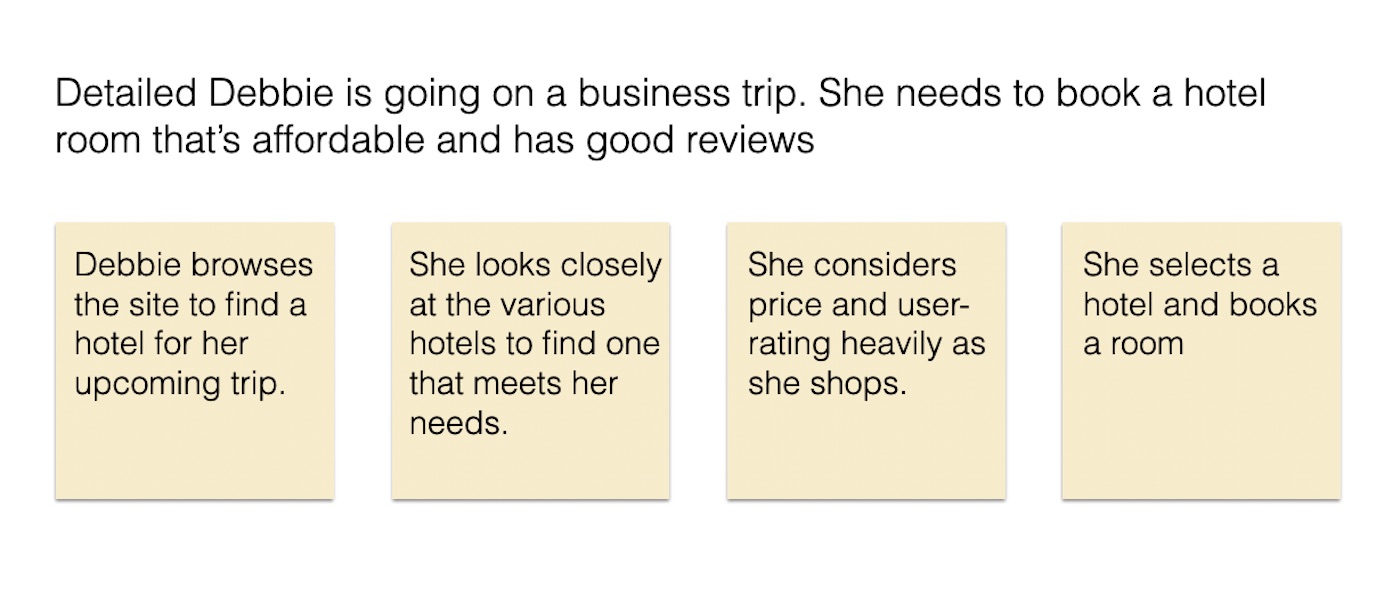
The scenario is broken down into sections, allowing for ideation on each section individually.
- Designate categories for ideation. Assign a different color of sticky note for 3 different ideation categories and provide each participant with a small stack of each color. Here are the ideation categories:
- Design ideas. For example, it might be helpful to let Debbie filter the reviews based on common keywords.
- Questions that arise at this step that you’ll want to resolve. For example, you might wonder if the hotel metadata taxonomy can support filtering by price and user-rating.
- Comments or considerations that may be relevant. For example, there might be variable information available in the database for amenities available at each hotel. Participants may want to call out this concern and capture it on the map to make sure related data structures are considered, as well as how these might impact solutions.
